Remove hyperlinks
Se aplica a:
Word para Office 365 Word 2016 Más... Menos
Removing a hyperlink keeps the text;
it just removes
the link.
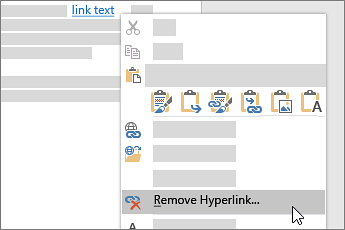
Right-click the link, and choose Remove Hyperlink.
Tip: To
prevent Word from automatically creating a link when you type
a web address, go to File
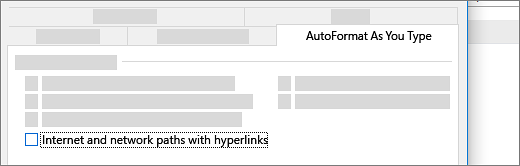
> Options > Proofing, and click AutoCorrect Options. On the AutoFormat As You Type tab
clear the Internet and network paths with
hyperlinks check box.